Client portfolio workbench
Status, open work, and deadlines across the whole book in one view — aggregation that respects each client's boundary, one client context at a time.
Plan visits, deliver work, and follow each client from one firm console. Every employer keeps its own workspace and decides whether to grant your team access.
Apply online for manual approval. When your workspace is ready, try Firm OS for 30 days with up to 10 consultants and no card required. Firm licenses are $79 per named consultant per month, plus applicable tax, if you choose to subscribe. Your employer clients choose and pay for their own workspace plans separately.
Independent consultants, fractional practices, and risk-services teams — the same architecture: client-approved access on a regulated substrate.
Status, open work, and deadlines across the whole book in one view — aggregation that respects each client's boundary, one client context at a time.
Access is granted by the client, scoped to what they approve, and revocable at any time — with the provenance of every connection recorded.
Every client remains their own tenant with database-enforced isolation. No shared folders, no resold sub-accounts, no blended records.
Plan engagements, schedule site visits, and run the week from a dispatch calendar built for multi-client fieldwork.
The assistant drafts visit reports and triages the portfolio so the firm's attention goes where the risk is. A person reviews everything before it becomes the record.
Client deliverables carry their provenance — who produced what, from which records, under which grant — so your work product stands on its own.
Wizard or CSV import proposes grants only. Nothing becomes an active connection until the client accepts — the book never silently lands.
See posting-season and electronic-submission readiness across seated clients. Preparation and organization — filing stays the employer's act.
Publish practice templates with copy-on-publish, and deliver firm-run training to seated clients without blending tenant records.
How it works
One monthly engagement in the real interface with synthetic data. The firm plans and reports; the client confirms, acknowledges and decides, in its own workspace. Access to client records is granted by each client.

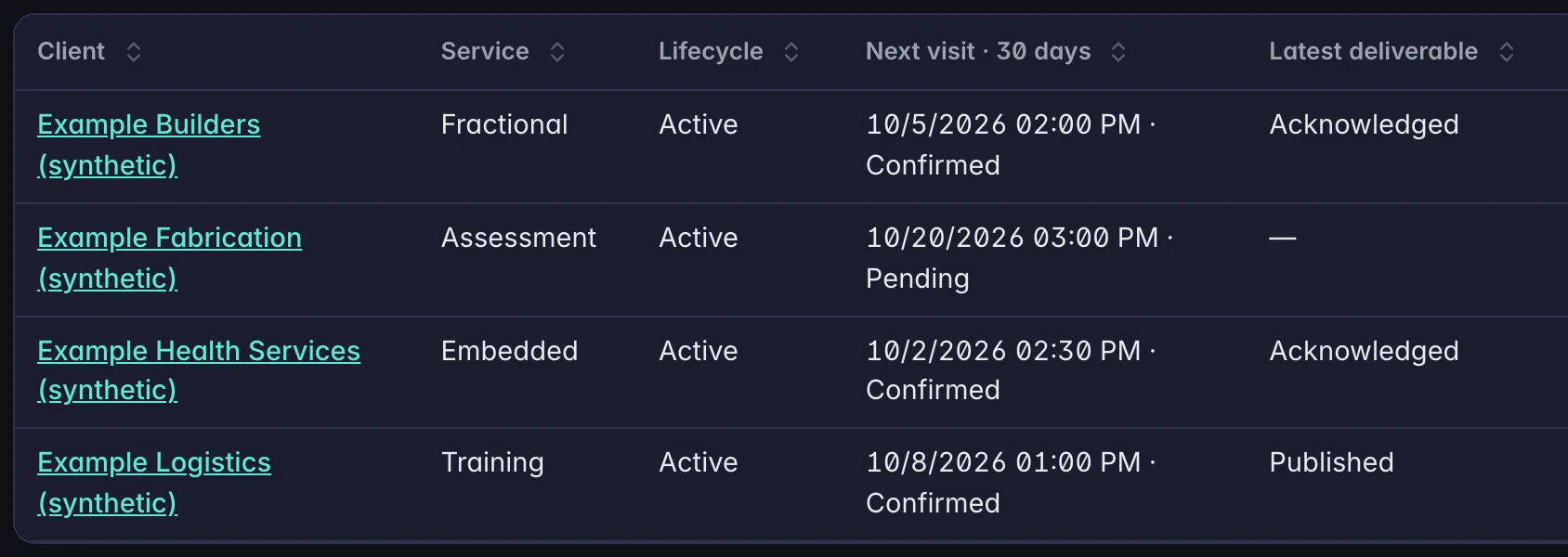
01 · Portfolio
Firm OS runs your consulting practice: client portfolio, visits and deliverables, with access each client grants.

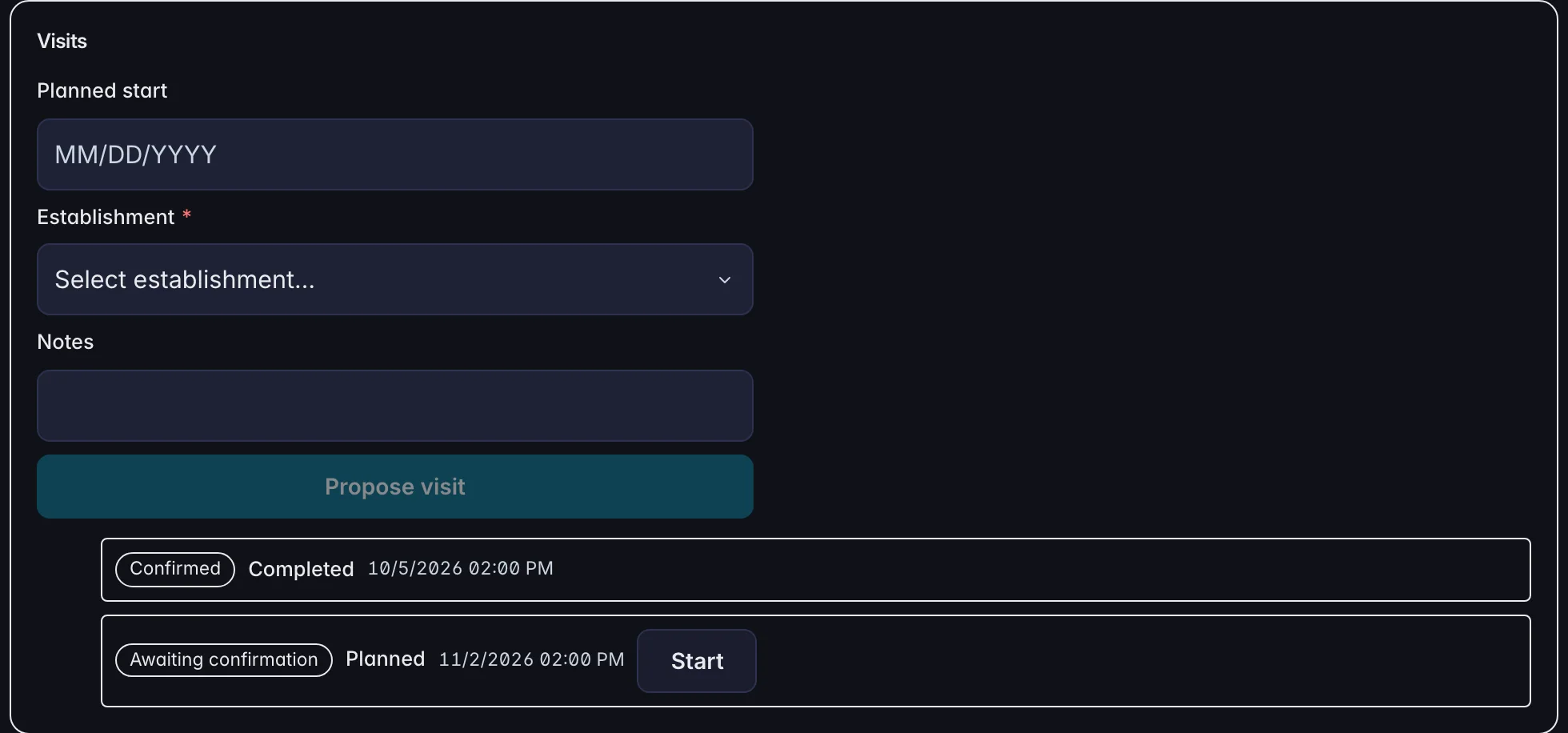
02 · Visits
A consultant proposes a visit with a date, the site and a note. Each visit shows whether the client has confirmed it.

03 · The client
The client sees the visit report and the next visit in its own workspace, and acknowledges the report and confirms the visit there.

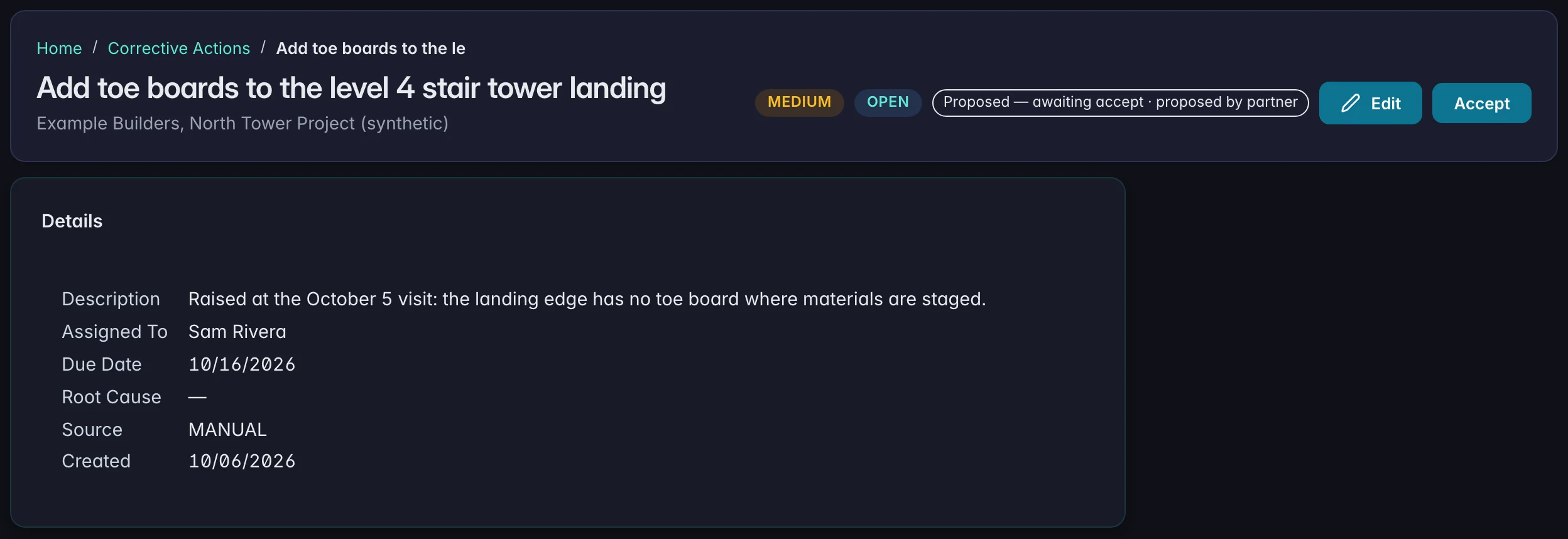
04 · Follow-through
A corrective action the consultant proposes from the visit arrives in the client's register with an owner and a due date, marked as proposed until the client accepts it.
Illustrative: the real SafeGora interface with synthetic data.
Client employers subscribe to SafeGora separately. Firms can review the published revenue-share rate, eligibility rules, and payout cadence before applying.
The product module behind the practice: firm console, seats, templates, and earnings.
ExploreThe published economics, eligibility rules, and the online partner application.
ExploreNational Preparedness Month, unprogrammed inspections, and the runway to the February posting window.
ExploreFind a live practice partner — opt-in listings only, no fabricated testimonials.
ExploreApply online. Our team reviews each firm application; when approved, your welcome email opens the ready workspace. Sign in with an email code and start your 30-day trial. Review your consultant quantity and monthly total before subscribing.